
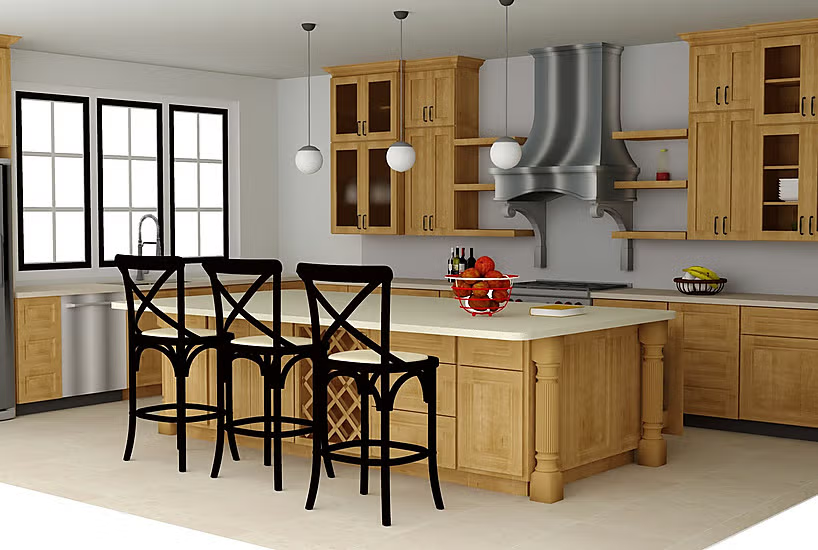
Kitchen Design Tool
Pro100 is one of the most popular kitchen design software that enables the interior designer, architect and even the manufacture of the furniture to design unique kitchen and cabinets with unmatched accuracy and realism. It has an intuitive interface enabling its users to create, visualize, and edit 3D kitchens, making each detail accurate, such as countertop textures, and professionally rendered, including the size of the cabinet and its dimensions.
Experience 3D rendering with photorealistic lighting and textures. You will be able to present realistic kitchen layouts, cabinets, material finishes, or a combination of all three to enhance presentations to clients and increase project approvals.
Generate cutting lists, calculate job costing and production-ready drawings. Whether you are about to build a residential kitchen or design commercial kitchen areas, Pro100 is the most flexible and powerful kitchen design software because it enables the professional to create stunner, functional and highly realistic kitchen and cabinet designs.
Pro100 design software enables remodelers and interior designers to generate premium layouts that appear in both 2D and 3D visual formats. The design solutions incorporate convenient applications and flexible online tools and complex 3D modeling tools that simplify the process of visualizing design concepts.
The software platform includes three main innovation points through which users can generate tailored kitchen floor plans and interactive design elements and visual simulations to automate their design work. It provides software solution and delivers collection of precise and flexible tools that assist you in building contemporary or multi-purpose kitchen designs to produce professional outcomes that maximize workplace productivity for clients.
Check out software solutions in high ranks since they will enhance the quality of your kitchen design work.
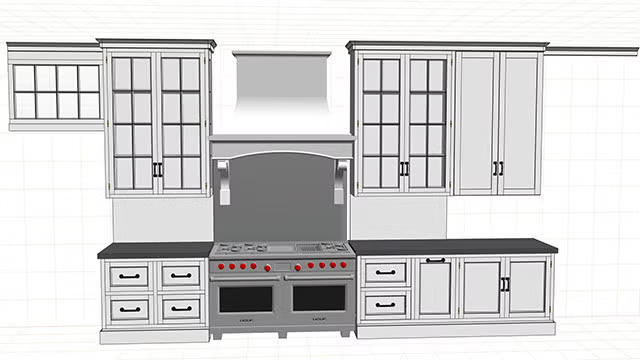
Looking to Streamline your Kitchen Drawings?
Pro100 offers a comprehensive suite of features tailored to fit your kitchen design vision. Whether you are doing a simple L-shaped kitchen layout with an island or a large kitchen with a sitting area, this is one of the best kitchen planners that will get the job done in no time. Create 3D layouts with floor plans in minutes. With Pro100 you are able to achieve the following: -
- Rapid Kitchen Layouts
- High-Quality Rendering
- Manufacturer Design Replication
- Showroom Sales Pricing Integration
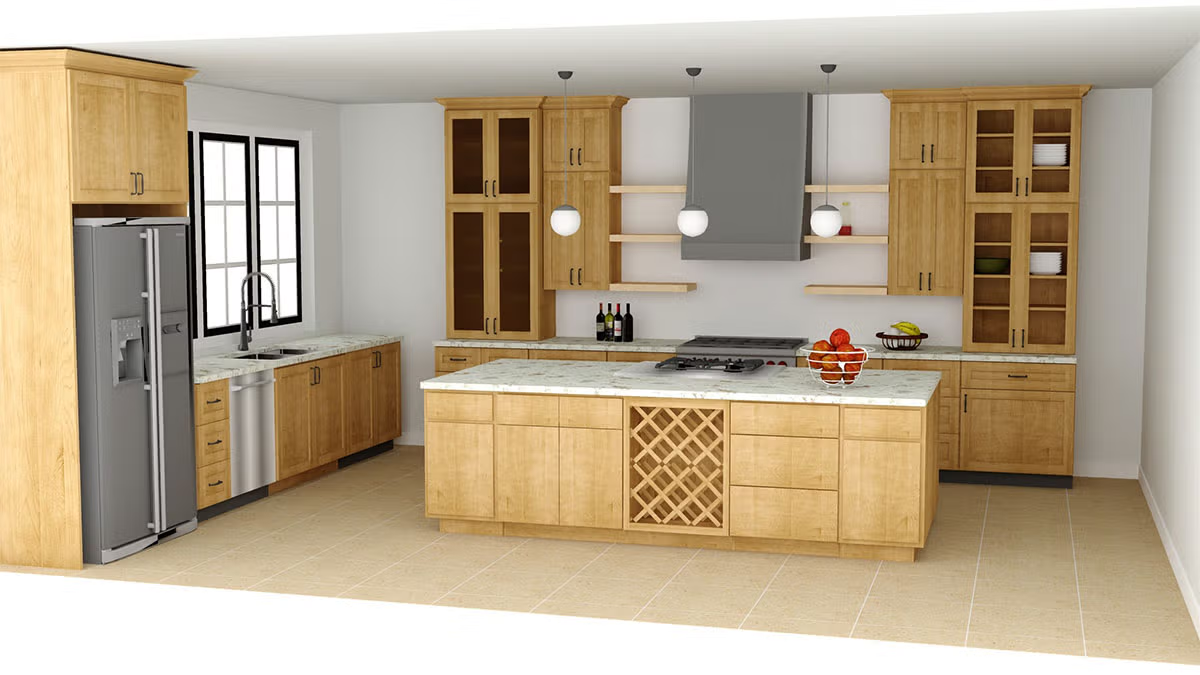
Kitchen design software enables users to produce accurate layouts by helping them build and preview kitchen arrangements. Pro100 offers graphical interfaces for moving components and built-in cabinets along with appliance library with instant 3D visualizations.
Pro100 has design tools with measurement capabilities that provide budget estimation to assist users maintain financial goals through the design process. It enhances the planning process by creating better accuracy together with more creativity for delivering functional beautiful architectural solutions.
Shop Drawing

Key Features
Floor Plans
Pro100 excels in generating detailed floor plans that form the foundation of your kitchen design. Easily sketch out your space's dimensions and layout, ensuring every inch is optimized for both functionality and aesthetics.
Drag and Drop
One of the standout features of Pro100 is its intuitive drag-and-drop functionality. This user-friendly tool allows you to seamlessly move cabinets, appliances, and other elements around your floor plan, making it simple to experiment with different layouts.
3D Kitchen Design
Transform your ideas into a virtual reality with Pro100's 3D kitchen design capabilities. Visualize your kitchen from any angle, adjusting elements in real-time to create a photorealistic rendering of your space. This feature is perfect for getting a tangible sense of how your finished kitchen will look and feel.
Cabinets and Appliances
Select from a wide array of cabinets and appliances to populate your kitchen layout. Pro100's extensive library includes various styles, finishes, and brands, allowing you to customize your space to fit your exact needs and preferences.
Kitchen Layout
The software simplifies the process of designing a functional and stylish kitchen layout. Whether you're working with a galley, L-shaped, U-shaped, or any other configuration, Pro100 helps you make the most of your space.
Interior Designer Tools
Pro100 isn't just for kitchen design; it also offers robust tools for overall interior design. Create cohesive spaces that flow naturally from one room to the next, ensuring your kitchen complements
Practical Uses of Pro100 in Kitchen Design
1. Conceptualizing and Presenting Designs
Use Pro100 to create initial design concepts and present them to clients in a visually compelling manner. The 3D rendering feature ensures that clients can clearly understand and appreciate your vision by producting photorealistic images as shown in the video below.
2. Custom Cabinetry and Millwork
Leverage the shape editor and custom catalog features to design and detail bespoke cabinetry and millwork solutions. This allows you to offer unique, tailored solutions that stand out. ou can replicate manufacturer's line of cabinets and use in your showroom for sales
3. Material and Cost Estimation
Generate detailed cut lists and cost estimates to streamline the budgeting process. This helps in managing client expectations and ensuring that projects stay within budget.
4. Streamlining Manufacturing Processes
Integrate Pro100 with CNC machines to automate the manufacturing process. This reduces the potential for errors and speeds up production, ensuring that designs are executed flawlessly.
5. Client Collaboration and Feedback
Use Pro100's project sharing capabilities to collaborate with clients in real-time. This enables a more interactive design process, where clients can provide feedback and make decisions throughout the project.
Why Buy Pro100?:
- Support and Training - Included, plus periodic and regular software updates
- Enhanced visualization - 3D Rendering
- Increased efficiency
- Accurate measurements and spefications - Inches and Millimeters
- Optimization and Cut list
- Customization and flexibility
- Ease-of-Use
- Catalog - Library of components
- Better client communication - Project share in PDF or other.
Start Designing With Pro100 Software
Are you looking for a new way to design or remodel kitchens? Are you tired of using outdated methods that don't offer the flexibility or features you need? If so, then you should consider using Pro100 kitchen design software. Download the demo version now. This software can help you create beautiful and functional kitchens with ease.
Create your designs easily that fit your client's unique needs and preferences. Pro100 is the leading software solution for creating stunning and functional kitchen designs. Boasting a comprehensive suite of features, Pro100 empowers designers to bring their vision to life with unprecedented ease and efficiency.
Easy To Learn, Easy To Use | Kitchen Planner
So, what are you waiting for? Start exploring today! You can easily work with clients and other professionals from around the world.
Check out Pro100 today and see why it's quickly becoming one of the most popular kitchen design programs on the market. If you are looking for an ideal kitchen design software that has the ability to integrate any stock, semi-custom and custom cabinets,
Pro100 is probably your best luck. The finished design drawing produce photo-realistic images, pricing based on the project, generate material reports, display construction methods and any other detail modifications that is necessary based on the job task.
Build Your Kitchen Cabinet Library
You can use it to design closets, garage cabinets, bathrooms, living rooms, bedrooms etcetera. Check out some of the industries included. Find ready-made items such as standard library of frameless and framed cabinets, faucets, different types of sinks, decors, appliances, light fixtures, clothes and even plants.
Why use Pro100 Kitchen Design Software?
Pro100 kitchen design software is an incredibly useful tool for interior designers, architects and other professionals who need to plan and visualize a kitchen space. It offers an easy-to-use 3D design platform that allows users to quickly create accurate room plans and detailed drawings, as well as realistic 3D Kray renderings of the finished product.
With Pro100, you can easily customize any aspect of your designs with a wide range of materials, textures (JPGs) It provides powerful features such as photorealism, an advanced lighting option. Experience panoramic views panoramic views so you can get a real feel for how the completed kitchen will look before investing in materials or construction work.
Ultimately, Pro100 kitchen design software makes it easy to bring your creative ideas to life in a way that’s cost effective and time efficient.
Multi- Purpose Kitchen Planner Software
Design and replicate a scaled version of your kitchen space. Presentation includes panorama or virtual tour settings, views in 3D and ability to share photo realistic images with your client. Apply different layouts and color schemes to dress up your finished project.
Kitchen design software has come a long way in recent years. No longer are you confined to simple programs that only allow you to place cabinets and appliances in a limited number of predetermined layouts.
Today's software offers a wide range of features, from virtual remodeling to 3D rendering, that can help you create the perfect kitchen for your clients. In this page, we'll take a look at Pro100 which is one of the best kitchen design software on the market, and we'll discuss the benefits of the program and why you should try it.
So, whether you're just starting out in the kitchen design business or you're looking for an upgrade, read on for information on some of the best kitchen design software available today.
This video describes how to build cabinet glass door of any shape and according to your specifications.
Kitchen Design Examples
Pro100 kitchen design software gives you an upper hand no matter your skill level. Design your kitchen in 3D, floor plan or any other elevations you like, You can start from scratch or sample templates in the library.The design revisions are easy as a drag and a drop.
Design Program for Kitchen Dealers
You buy ready-made in wholesale from manufacturer or vendor and sell directly to the consumers. The majority of your orders are shipped "finished" and ready for installation or assembly, then you should try out Pro100 software. The main advantage of ready-to-assemble (RTA) cabinets is that the buying and installation experience is fairly fast.Customers like that.
PRO100 is the kitchen design software that will make your life easier regardless of whether you have the catalog or not. You can create your own catalog in minutes just by getting jpeg images from manufacturer's website or if no catalog at all, good camera, smartphone or tablet works perfectly. -
You can re-create drawers, door styles and colors of any kind; for example, raised panel,flat,slab or v groove, specialty etcetera.
When designing your dream kitchen, it is important to make sure that you are creating a space where people can feel comfortable and at home. A well-designed room has the power not only transform how we spend our days but also bring families closer together through shared experiences in cooking or just spending time with one another while working on homework paperwork!
If you're a kitchen designer or remodeler, you know that designing kitchens can be a complex and time-consuming process. But what if there were a way to make it easier? Turns out, there is! With the help of Pro100 kitchen design software, you can create detailed 3D models of your designs in minutes.
This not only makes the process simpler, but it also gives clients a much better idea of what their finished kitchen will look like. So, if you're looking for an easy way to streamline your kitchen design process, be sure to check out Pro100 kitchen design software. You won't regret it!
Why Choose Pro100?
It is one of the easiest kitchen design software for remodelers, dealers, manufacturers and much more. Here are some of the main reasons our customers talk about:
Key Features:
- Versatile Cabinet Integration:
- Easily integrate stock, semi-custom, and custom cabinets into your designs.
- Create stunning, life-like images of your finished designs.
- Project-Based Pricing:
- Generate accurate pricing based on each project.
- Material Reports:
- Produce detailed material reports for better project management.
- Construction Methods Display using the new commenting tool in version 7
- Visualize and modify construction methods to suit your needs.
- It allows you to reproduce kitchen cabinet catalog with matching door styles, construction methods and unique finishes outlined by the manufacturer
- Integrate pricing based on cabinet material or size.
- Record and share panoramic view
- Technical support and training
- One-time cost, no annual fee or subscription
Pro100 offers everything you need to create beautiful, functional kitchen designs. Don't miss out—start enhancing your projects today!
Important To Know:
- You can evaluate the software prior to purchasing.
- Demo download is available at no cost and does not expire. Play with it as much as you like.
- Schedule a demo session if you have questions or concerns.
Pro100 costs much less compared to other kitchen design software. It does not take a while to learn, the ease of use makes it a top pick in many industries including remodeling and building construction. The program allows you to drag and drop items in your virtual room and has cost estimation and pricing capabilities.
Pricing for Ready-Made
PRO100 is a perfect tool for your kitchen layouts based on customer's needs and budget. Once you learn how to create your catalog including the respective door styles, handles, hinges and all the hardware required for the job, you can price your cabinets based on th door styles or material consumption depending on how you do it. Price your jobs by simply adding your prices to Pro100.
The following video demonstrates how to price your cabinets
The following video demonstrates how to make glossy surfaces