
Search any woodworking forum — WOODWEB, LumberJocks, Sawmill Creek, Woodworking Talk — and the same post appears, almost word for word, going back fifteen years:
"I have a small shop. Which software should I get that gives me a cut list and decent renderings without costing a fortune?"
The short answer: the software that works is the one you can configure to match how your shop already builds. Cut lists are only trustworthy once the dado depths, reveals, face frame widths and material thicknesses match your bench. Everything else — price, rendering quality, CNC output — is secondary to that.
The replies are always the same shape too. Someone recommends Cabinet Vision. Someone else points out it starts above $5,000 and is quote-based for most configurations. Mozaik gets suggested for its lower entry cost and gentler learning curve. Somebody mentions SketchUp with plugins. Somebody else says they tried three packages and went back to a spreadsheet.
Fifteen years of the same thread means the question is not being answered properly. So let's try.
What shops are actually asking
Underneath "which one should I buy," four concerns drive every one of those threads.
Cost and commitment. Subscription versus perpetual licence is a live argument in every discussion, and it is not really about the monthly number. It is about what happens to your files if you stop paying. A shop that needs to reopen a five-year-old kitchen file to build a matching pantry has a different risk profile than a design studio.
Learning curve. The heavier production platforms generally expect formal training before anyone works independently. Shop owners are acutely aware they might buy something expensive and never get productive on it. That fear is well founded and rarely addressed honestly by vendors.
Cut list trustworthiness. Note the phrasing in these threads. Not "does it make a cut list." Every package makes a cut list. The question is whether it makes one that matches how you actually build — your dado depths, your face frame widths, your reveals, your material thicknesses.
CNC output, usually raised as future-proofing rather than a present need. Shops want to know they will not have to start over when they buy a router in three years.
The question that actually decides it
If I had to name the one question that determines whether a shop stays with a package or abandons it after six months, it is not on that list.
It is this:
Can I make it build cabinets my way?
That is the setup and library problem, and it is where most cabinet software relationships succeed or fail.
Every shop has its own construction methods. Your carcass might be 5/8" ply with a 1/4" dado for the back; the next shop over uses 3/4" with a rabbet. Your face frames are 1-1/2" stiles; theirs are 2". You allow 1/8" reveal; they allow 3/32". None of these are wrong. They are just different — and software that assumes a different set is worse than useless, because it does not fail loudly. It produces confidently wrong numbers.
A cut list that is subtly wrong is more expensive than no cut list at all. You find out at the saw.
What setup actually costs
Here is the part vendors do not put on the pricing page.
One vendor on WOODWEB estimates one to three days simply to get correct cut lists and modify the shipped library to reflect your own cabinets. With CNC in the mix, that extends well beyond three days.
That is not a criticism of any particular package. It is the nature of the problem. Any software flexible enough to build cabinets your way must, by definition, be told what your way is.
And the failure mode in these threads is revealing. One cabinetmaker's only substantive complaint about his software was not understanding many of the terms used to set up the standards. He was not defeated by the software's capability. He was defeated by its vocabulary.
That is the real risk in this purchase. Not that the software cannot do it. That you cannot get it configured before you run out of patience.
Where Pro100 fits — and where it does not
We make Pro100, so treat what follows accordingly. But an argument you cannot check is worth nothing, so here is the honest version.
What Pro100 does well against this specific problem
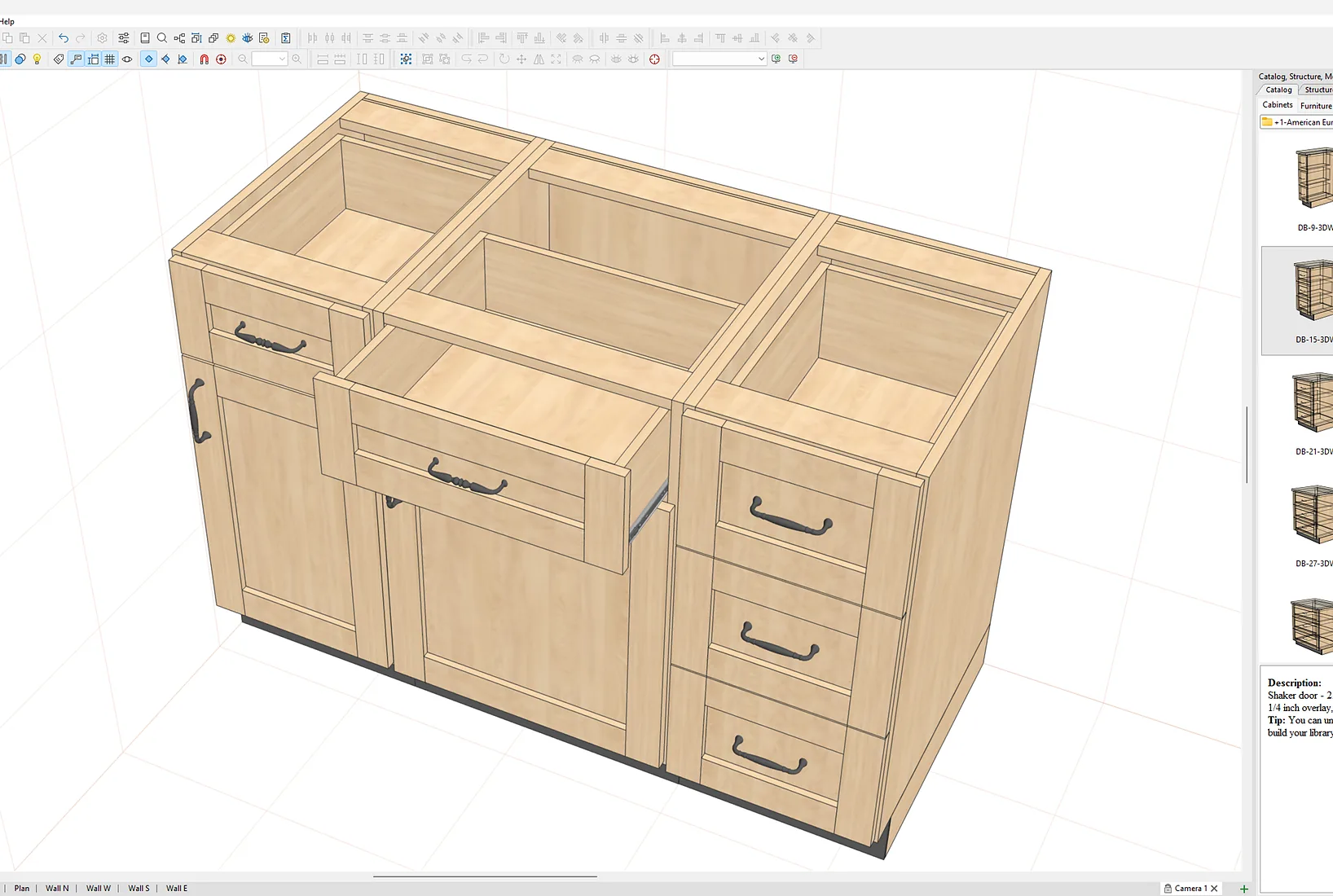
You build the library once and own it. The shape editor lets you construct non-standard carcasses angled, curved, irregular and save them. Door styles can be created from a photograph of any profile. You define reveal, overlay, joint type and material thickness, then reuse those definitions on every job afterwards. The setup cost is real, but you pay it once rather than working around someone else's assumptions forever.
One model produces the render and the shop drawings. The design that sells the job is the same file that generates the dimensioned elevations and the cut list. No re-entry, and no divergence between what the client approved and what the shop builds.
The licence is bought once. $3,144.99, no subscription, no per-seat charge. The licence lives on a USB dongle, so the program installs on as many computers as you like and runs on whichever one holds the key. A designer works from the office desktop on Monday and a laptop at a client's kitchen on Tuesday, with no seat management and no transfer.
One program covers the whole shop. Kitchens, closets, garage storage, offices, commercial casework, furniture. Because all of them are boxes with different components inside, the same library serves all of them. Shops that take mixed work do not need a second package.
What Pro100 does not do, and you should know before you buy
Setup still takes days. We are not exempt from the problem described above. Expect to spend real time defining your construction standards before the cut lists match your bench. The 60-minute onboarding session included with purchase exists precisely because that first configuration is the hard part.
It is not the cheapest one-time licence available. Cabinet Planner is $69.95. Cabinet Pro sells one-time packages too. Pro100 costs more than both, and if all you need is a drafting and cut-list tool, one of them may serve you better. What you pay the difference for is presentation-grade rendering, the shape editor, and integrated job costing.
CNC is a separate package. Pro100 CNC exports DXF with routing and drilling operations. It does not generate G-code or nest parts that happens in your CAM software. If you need a single package that goes from design to machine code without an intermediate step, Cabinet Vision or Mozaik Enterprise are built for that and Pro100 is not.
The demo cannot save a project or export a cut list. You can design a complete job through to shop drawings, but you cannot keep it. That is deliberate, and it means you should plan to evaluate in one sitting.
When a subscription is the better answer
An honest comparison has to include the cases where we lose.
You design a handful of jobs a year. If you touch the software twice a quarter, a rental you can stop and restart may cost less than any perpetual licence. KCD's programme is built for exactly this pattern.
You are a showroom selling catalogued manufacturer lines. If your business is specifying branded SKUs from live catalogues rather than building custom boxes, 2020 Design Flex is built for that workflow. Pro100 is built for shops that make cabinets.
You run multi-machine nested-based production with ERP integration. Cabinet Vision, Microvellum and Mozaik Enterprise are engineered for factory-floor throughput. If you run two shifts on three routers, that tooling earns its price. If you are a shop of one to fifteen, you will pay for capability you never open.
How to evaluate any of them properly
Whatever you are considering, including ours, test it this way.
- Rebuild a job you have already built. Not the vendor's sample kitchen. A real job from your own shop, with its awkward angled wall and its odd filler. You already know the correct answer, so you will immediately spot where the software fights you.
- Set your construction standards first, before you draw anything. Material thicknesses, dado depths, reveals, face frame widths, joint types. If you cannot find where to change these, or cannot understand the terms used, that is your answer — and it is better to learn it in the demo than after paying.
- Compare the generated parts list against what you actually cut. Not roughly. Part by part. If the numbers do not match your bench, either the setup is wrong or the software cannot express how you build. Both are worth knowing now.
- Price the same job in the costing module and compare it to what you actually charged.
- Ask what happens to your files if you stop paying. Get the answer in writing.
- Count the seats you will need in three years, not today.
The bottom line
The forum question — which software gives me a cut list and decent renderings without costing a fortune has no single answer, because it is the wrong question.
The right one is whether the software can be made to build cabinets your way, and how much of your life that will cost. Every package demands that investment. What differs is how much, how comprehensible the process is, and whether you own the result afterwards or rent it indefinitely.
Pro100 is $3,144.99, once. It will take you a few days to configure properly, and we would rather tell you that now than have you discover it in week two. After that, the library is yours, the files open forever, and the licence moves between machines on a key in your pocket.
Download the demo and rebuild a job you have already finished. You know what the right answer looks like so you will know within an afternoon whether this fits how your shop works.
Frequently asked questions
What is the best cabinet design software for a small shop?
For shops of one to fifteen people doing custom work, a one-time licence usually beats a subscription on cost and on file access. The more important question is whether the software can be configured to match your own construction standards, because software that assumes different dado depths, reveals or face frame widths will produce cut lists that are confidently wrong.
How long does it take to set up cabinet design software?
Expect one to three days to get correct cut lists and modify the shipped library to reflect the way your shop builds. Adding CNC output extends that well beyond three days. This applies to every package, because software flexible enough to build cabinets your way must first be told what your way is.
Why do cut lists come out wrong?
Usually because the software's construction standards have not been set to match the shop. Material thicknesses, dado depths, reveals, overlays and face frame widths all feed the parts calculation. If those defaults reflect a different shop's methods, the cut list will be internally consistent and still wrong at the saw.
How much does cabinet design software cost?
One-time perpetual licences range from $69.95 for a basic drafting and cut-list tool up to $3,144.99 for Pro100, which includes rendering, a shape editor and job costing. Subscriptions run roughly $95 to $295 per month. Enterprise systems such as Cabinet Vision are quote-only and commonly reported above $5,000.
Should I choose a subscription or a one-time licence?
A one-time licence usually costs less over any period longer than about two years, and the software keeps opening your files whether or not you renew. A subscription can be cheaper if you only design a handful of jobs a year and can stop and restart it, but the application stops launching when the subscription lapses and archived project files typically cannot be opened.
Further reading: Cabinet Software Compared in 2026 · What You'll Actually Pay Over 5 Years